
Your account, your history
Readings and treatment records are stored under your account. Logging also works offline — data syncs when you are back online. You need the internet to load history.
Glucose and treatment · Android · 7 languages
Log glucose, insulin and medication in a few seconds, see your day and month at a glance, and let reminders help you remember. When you need it, prepare a PDF for your appointment — no hunting for a paper diary in a drawer.

The same goal — keep track of your glucose. But without hunting in a drawer, copying notes before your appointment, or adding up the month by hand.
Everything that matters, a few taps away — without crowded screens.
The screens you use every day — swipe the row and tap a preview to enlarge it and read the description.
This is not about installation or settings — it is the ordinary moments when the diary makes the day easier. Without crowded screens.
Add glucose, an insulin dose or a medication straight away — at breakfast, lunch or dinner. Fix a typo without adding a new line.
You can set ordinary reminders for glucose readings. For insulin and medication you can also choose a Prominent alarm with sound, vibration and a prominent screen.
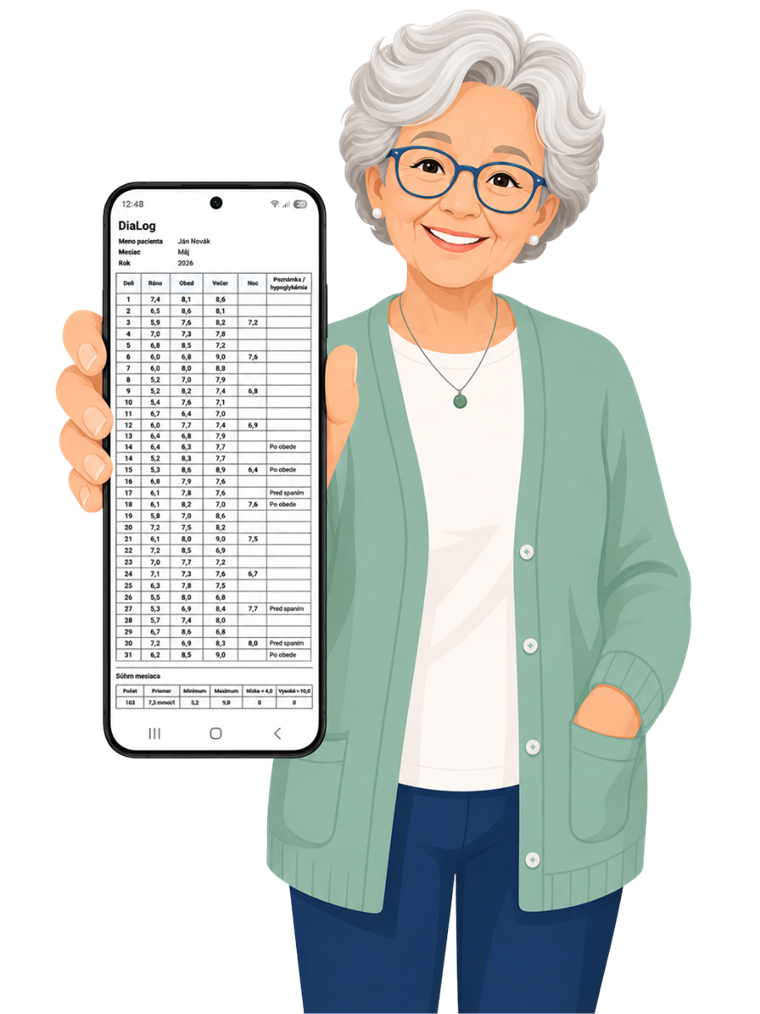
Prepare a monthly overview on your phone in one tap. At the appointment you show the PDF — no copying from a notebook.
DiaLog is not a food-tracking health platform or an AI advice tool. It is a personal glucose diary and treatment record that you enter yourself — no dosing recommendations, no ads and no selling of data.
Readings and treatment records are stored under your account. Logging also works offline — data syncs when you are back online. You need the internet to load history.
Protect the diary with a PIN or fingerprint. Sensitive biometric data is handled by the operating system — DiaLog does not store it or send it on.
No ads, no hidden payments. We do not sell your readings or share them with advertising networks — the app is for you, not for advertisers.
DiaLog helps you track glucose and prepare an overview for your doctor — it does not replace their decisions or treatment advice. For health questions, always speak to a professional.
What users say about the DiaLog glucose diary — a clear overview, simple use, and a PDF instead of a paper diary.
I was fed up with always hunting for that paper diary in the drawer. Here I just tap it in and I'm done.
I sent the PDF to my doctor by email — I didn't have to copy anything by hand. It's genuinely convenient.
It isn't stuffed with extras. I just wanted a diary, not a reader full of recommendations. That suits me.
Mostly for the monthly chart. At my check-up I didn't have to look for old papers — showing the PDF was enough.
Reminders help me remember to check after meals. I set the times and I no longer have to keep it all in my head.
At last, a diary in my language. I log my glucose in a few seconds and at the end of the month I have an overview without searching a notebook.
Answers to common questions about glucose, treatment, HbA1c, a PDF for your doctor, reminders, offline use, privacy and downloading from Google Play.
DiaLog is your personal glucose and treatment diary on your phone — a place to log readings, insulin and medication, see your day and month clearly, and keep important notes from getting lost on paper.
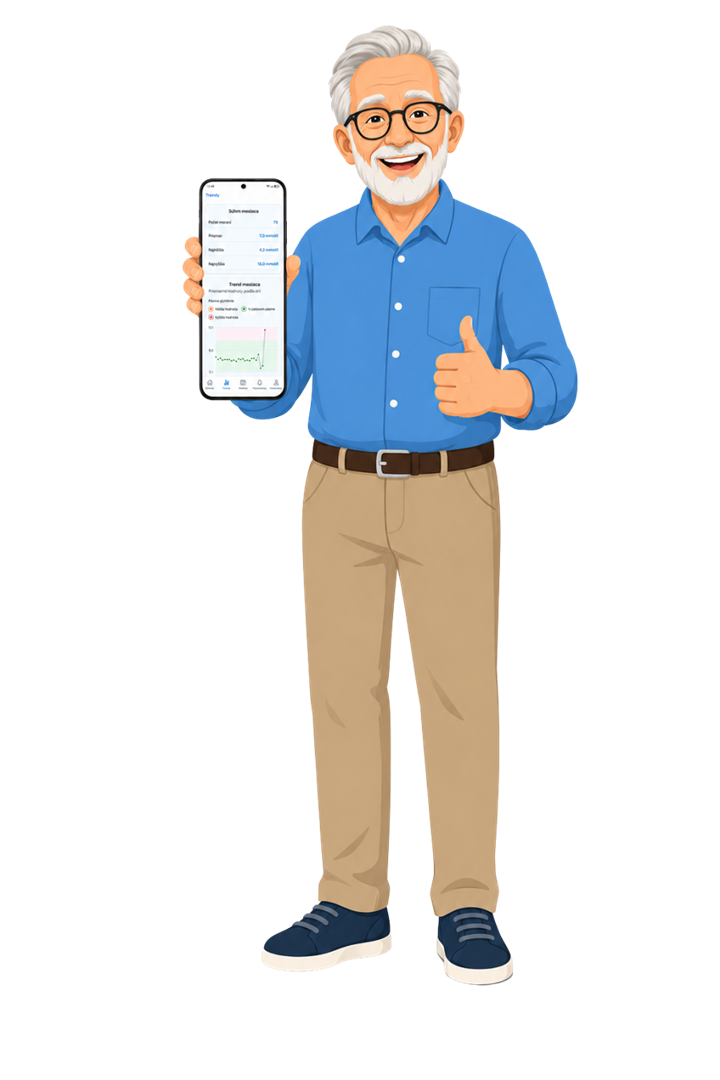
You can view history with a chart, an indicative HbA1c estimate, a weekly overview of recommended readings, time in target range over 7 days, a simple monthly summary, and when you need it, a PDF export similar to a paper diary.
No. DiaLog will not tell you what to do about your health — it is a diary for recording and reviewing your readings.
It does not provide a diagnosis, treatment or recommendations on insulin or medication doses. For health questions, always speak to a doctor or another qualified healthcare professional.
mmol/l or mg/dL — you choose the unit in Settings. You enter the value by hand in a few seconds and can assign it to a time of day — morning, lunch, evening or night.
You can optionally add a note or a quick tag to an entry. When you log, the app may warn you about a typo or a time that does not match — so you can check the value before saving.
You can log glucose and treatment offline — the entry is saved on the phone and syncs when you are back online. You do need the internet to load history, the chart or a PDF.
If you change phones, you can return to your records after signing in with a connection. Without the internet you will not see past entries, but a new offline log is not lost.
Yes. You can later edit or delete any entry — for example if you mistyped a value or a time.
You do not need to rewrite the whole diary. If you have several readings in the same slot on one day, you will see the list and the average.
Yes. For a chosen month you get a table of readings and a clear summary — average, minimum, maximum.
You preview the PDF in the app first, then send it by email, print it or show it at your appointment. You do not need to copy anything from a paper diary.
In the Treatment tab you set reminders for glucose, insulin and medication — on the days and at the times that suit you. For treatment reminders you can also choose a Prominent alarm.
For treatment reminders you can choose a stronger alert with sound, vibration and a prominent screen with Taken, Snooze and Stop — it can also alert you when the phone is locked. Depending on the device and Android settings, permission to show over the lock screen may be needed; the alarm does not guarantee delivery, it is not an emergency alert, and with Taken you log the entry yourself. It helps you remember, but it does not replace your doctor's advice and does not recommend a dose.
DiaLog is currently available free of charge on Google Play. The app does not currently include a subscription or in-app purchases.
If the model changes in the future, we will always tell you in advance.
DiaLog is now available for Android on Google Play. Download it from the Google Play store or from the DiaLog on Google Play page.
After installing, create an account in the app and you can start logging readings straight away. If you have questions, write to us at info@dia-log.sk.
In the app open Settings → Account deletion → Delete account and after you confirm, the account and related data are deleted from the DiaLog app automatically, unless a legal, security or technical duty prevents us from doing so.
If you cannot open the app or cannot sign in, you can also request account deletion through the account deletion page or by sending an email to info@dia-log.sk.
Some minimal technical, security or legal records may be kept for a limited time. An email request may require identity verification and is usually handled within 30 days, unless a legal duty prevents us from doing so.
DiaLog is designed mainly for Android phones — large buttons, readable type and one-handed use are part of the design.
Some features, such as reminders or the app lock, need the mobile app on your phone. The website is not a substitute for the full mobile experience.
Yes. In the Treatment tab you create a catalogue of insulins and medications, log an insulin dose or a medication intake, and see everything in history together with your glucose.
The app will not tell you how much to take — you record what you actually took, following your doctor's instructions.
On the Trends screen you can calculate an indicative HbA1c estimate from your glucose records. You can save the result and follow the history of estimates.
It is not a laboratory result or a diagnosis — it is only for your own overview. For health decisions, always follow your doctor and laboratory tests.
The DiaLog app and website are available in 7 languages: Slovak, Czech, English, German, Spanish, French and Italian. You choose the app language in Settings.
We want to improve DiaLog around the real needs of people who use it. If something is missing, something is unclear, or you have an idea that would make the diary easier, write to us.
Is something missing from the diary that would help you day to day?
If a screen, a sentence or a step is confusing, please let us know.
We want to know what works well and what could be simpler.
Please do not send sensitive health data by email. For feedback it is enough to describe the idea or the problem in general terms.
DiaLog is now available for Android on Google Play. Download the app from the store and create an account in the app — no subscription.
If you have questions about the app, contact us.
